
WordPress Moshtix Integration Plugin
Blue Kelpie’s WordPress Moshtix Integration plugin pulls your events straight from Moshtix into your website. The syncing feature keeps the ticketing data up to date, in real time. All for just $119/yr.
Import & sync your Moshtix events to WordPress.
Connect your Moshtix account once, and your events appear on your WordPress site as native, on-brand content. Every event stays current automatically, so you never have to update a listing by hand.
-
Live synched date event data
- Run a manual sync any time, or subscribe to webhooks and let Moshtix notify your site the moment an event or its ticket availability changes.
-
Customisable sales badges
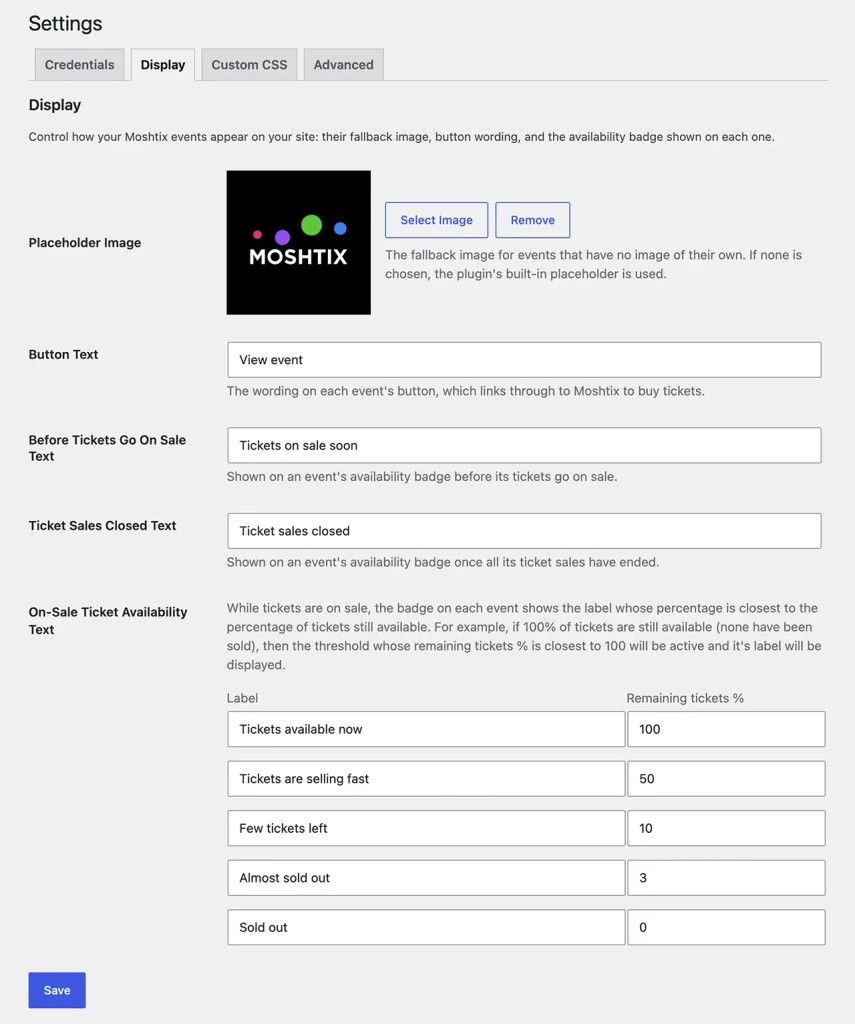
- Set your own fallback image, button wording, and availability badge text, including custom thresholds like “Selling fast” or “Almost sold out”.
-
Customise to suit your website
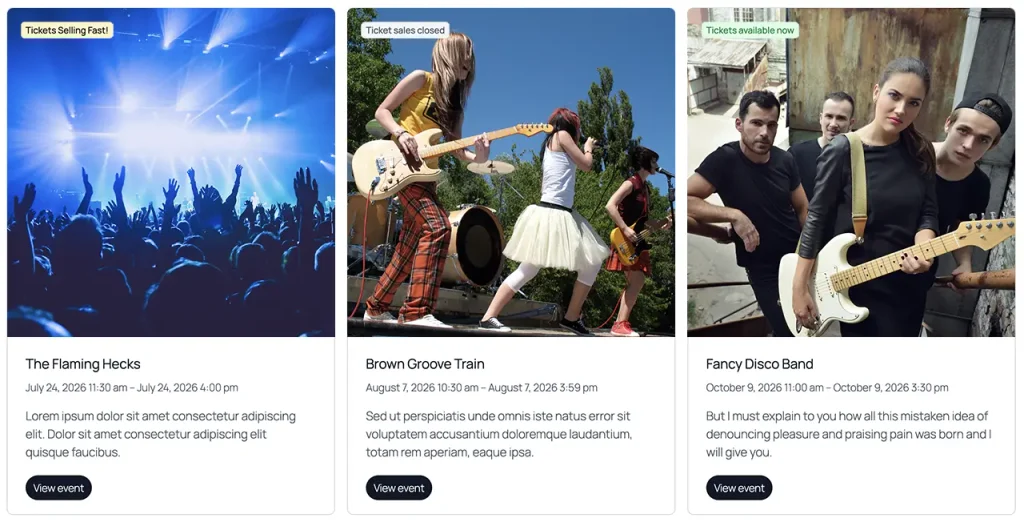
- We’ve styled your event cards beautifully out of the box. Easily modify the CSS to match your site exactly. Customise your events to match your website.
Sample event cards
How it works
- Connect your Moshtix account with your Client ID and API key.
- Customize how your events look, from placeholder images to availability badges.
- Sync your events, then let webhooks keep everything current.
- Visitors browse events on your site and buy tickets through Moshtix, just like always.
- You can view the documentation here.
Ticket sales stay with Moshtix
WordPress Moshtix displays your events, it doesn’t touch payments. When a visitor clicks to buy, they’re taken straight to Moshtix’s own checkout to complete the purchase, exactly as they do today. No new payment integration to manage, no extra compliance to worry about.
Get started
Purchase WordPress Moshtix through our secure checkout and you’ll receive a download link and license key by email.